
Vintage digital camcorders have a unique charm that modern smartphones simply cannot replace. The colour, the grain, and even the slightly clunky autofocus give your videos a distinct character. However, after years in storage, an old TCL camcorder can become sluggish, unstable, or stop working altogether.
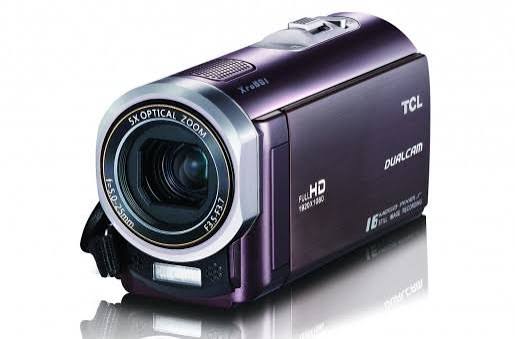
The good news? You might not need to replace it. A bit of cleaning, maintenance, and a few basic checks are often all it takes to bring an old camcorder back to life.
Battery issues are one of the most common reasons an older camcorder performs poorly. Ageing rechargeable batteries naturally degrade over time, especially after sitting in a drawer for years.
Try fully charging the battery and check how long it lasts. If the camcorder cuts out quickly, consider getting a compatible replacement. Never use a battery that is swollen or visibly damaged.
For longer shoots, carrying a spare battery or connecting to a suitable external power source can make a world of difference.
A dirty lens can make a perfectly decent camcorder look dreadful. Dust, fingerprints, and tiny specks can cause recorded videos to look blurry or hazy.
Gently wipe the lens using a microfibre cloth. For stubborn marks, use a specialist lens cleaning fluid rather than household glass cleaner.
You should also check the vents, buttons, ports, and memory card slot. Dust build-up around these areas can affect how well the camera operates over time.
If your TCL camcorder uses an SD card or another removable memory format, an old or faulty card can lead to sluggish recording, errors, or corrupted video files.
Back up any important files first, then test the camcorder with a reliable, compatible memory card. If you still encounter issues, try formatting the card using the camcorder's built-in formatting option.
Before buying a new card, make sure to check which card types and maximum capacities your camera supports.
Sometimes poor performance is simply down to misconfigured settings. Take a look through the menu and restore sensible defaults.
Review the video resolution, frame rate, autofocus, image stabilisation, and exposure settings. If the camera has been used by different people over the years, a factory reset can help clear out any unusual setups.
After resetting, test the camera in good daylight before assuming there is a hardware fault.
Older electronics are particularly sensitive to high temperatures, dampness, and condensation. Avoid leaving your camcorder in a hot car or storing it in a damp room.
When bringing the camera inside from the cold, let it adjust to room temperature before switching it on. This simple habit lowers the risk of condensation damage.
If TCL ever released firmware or software updates for your specific camcorder model, read the official documentation thoroughly before attempting an update.
Not every old camcorder can be restored. If the image sensor, internal storage, display screen, or motherboard fails, professional repair might be your only realistic option.
For a camera with sentimental or historical value, taking it to a qualified electronics technician may well be worth the expense. However, for a basic everyday camcorder, swapping the battery, giving it a good clean, checking the memory card, and resetting the settings is usually the best place to start.
A decade ago, Sony introduced the Action Cam Mini HDR-AZ1 as a compact response to GoPro’s dominance. The camera was roughly the size of a thick USB stick and weighed about 63 grams with the battery, making it one of the lightest wearable cameras available at the time. It recorded Full HD video, used electronic image stabilization, featured a Zeiss Tessar lens, and offered Wi-Fi plus an optional live-view remote.
In good light, the AZ1’s 1080/60p or 1080/30p footage remains sharp, with natural color. The electronic stabilization is still useful, though it narrows the field of view. For mounting discreetly on a helmet, bicycle, or backpack strap, the camera’s form factor remains hard to match. Reviews at the time, including those from CNET and Digital Trends, praised the balance between size and performance while noting clear weaknesses: no 4K, limited manual controls, and especially battery life.
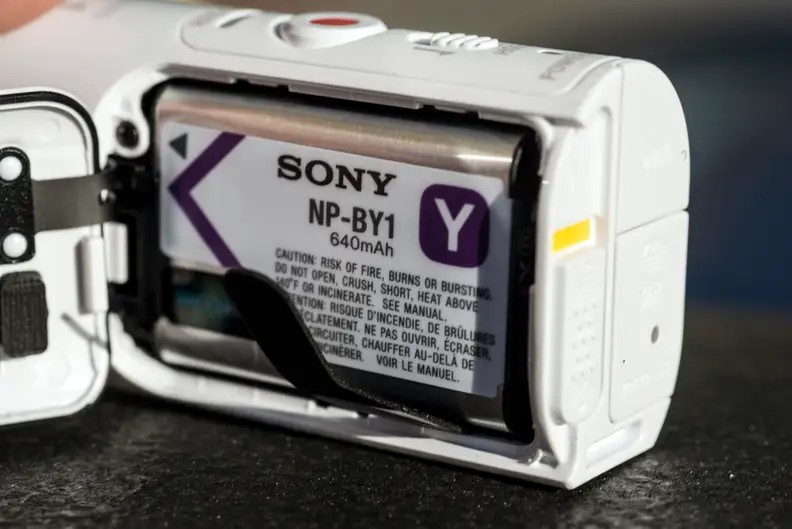
The AZ1 uses the slim NP-BY1 battery, rated at 640 mAh. Sony’s official figure was about 80 minutes of continuous 1080/30p recording, but real-world mixed use was closer to 45 minutes. Independent tests typically landed between 60 and 80 minutes depending on settings and Wi-Fi use.
Even when new, endurance was not a strength. After more than a decade of charge cycles, most original batteries have lost significant capacity. If a battery dies after 20 minutes, the camera becomes nearly unusable.
Third-party NP-BY1 batteries remain easy to find and inexpensive. They fit the camera, are recognized by it, and are commonly rated for similar runtime to the original. Replacement takes about five minutes: slide the latch, remove the old battery, and insert the new one.
For owners who already have the AZ1 and its accessories, replacing the battery is worthwhile if the camera is used as an ultra-compact 1080p point-of-view camera for occasional cycling, skiing, or travel vlogging.
A new battery restores usable runtime for a fraction of the cost of any modern action camera. The body is still durable, the lens is still sharp enough, and the optional live-view remote remains one of the most convenient controls of that generation. For simple set-and-forget lightweight shooting, the AZ1’s size still offers appeal that bulkier modern cameras do not.
For anyone expecting modern performance, the answer is no. The AZ1 cannot match current cameras such as the GoPro Hero or DJI Osmo Action in resolution, dynamic range, stabilization, battery life, low-light performance, or software features. It lacks 4K video, advanced horizon leveling, voice control, and meaningful firmware support.
Accessories beyond batteries are also harder to find. Replacing the battery only makes sense when the camera already meets a specific need. Otherwise, the same money—or slightly more—can buy a used modern camera that is far better for everyday use.
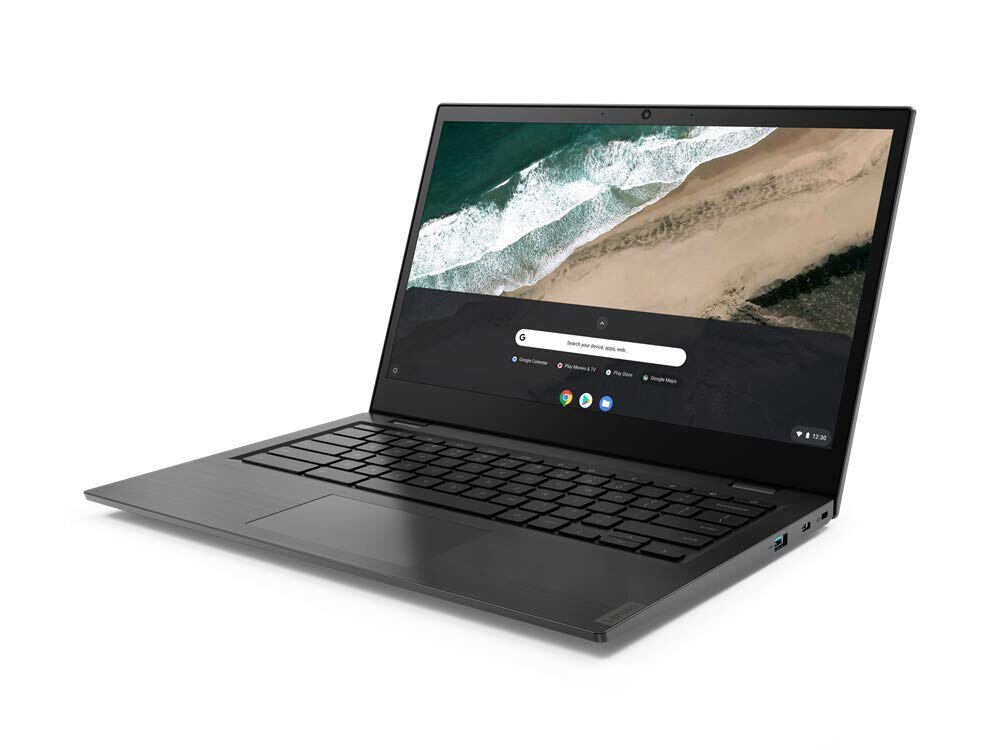
If yourLenovo Chromebook S345-14AST is no longer holding a charge like it used to, replacing the battery is a practical solution. However, searching for a replacement can be confusing, as you will likely come across three very similar part numbers:L18D3PG2,L18M3PG2, orL18L3PG2.
Which part number should you choose?
In reality, these batteries are completely identical in terms of performance. All three options are 3-cell lithium-ion batteries designed specifically for the S345-14AST. They share a total capacity of around57Whand a nominal voltage of approximately11.5V, meaning they are built for the exact same chassis.
The only difference lies in the middle letter (D,M, orL). This code indicates the Original Equipment Manufacturer (OEM) that produced the battery cells for Lenovo's production line. Lenovo relies on this multi-vendor strategy to ensure supply chain stability. If one factory experiences a shortage, another can immediately step in to fill the gap.
While these three models share identical technical specifications, they all come in both"long cable"and"short cable"versions.
Important:When purchasing a replacement battery, you must check the cable length of your original battery first. The new cable must match the exact length of the one already inside your laptop.
A mismatched cable can lead to installation issues, put excessive strain on the connector, or cause an unstable power supply.
The battery in the Chromebook S345-14AST is user-replaceable.
Installation:Carefully open the chassis and swap out the old battery while avoiding any static discharge.
Calibration:After installing the new battery, fully charge it first. Then, complete at least one full discharge and recharge cycle to help ChromeOS accurately calibrate the battery level indicator.
By understanding these differences, especially the cable length, you can confidently choose the right battery and restore your Chromebook's all-day performance while avoiding compatibility issues. No matter whether your current battery label saysL18D3PG2, L18M3PG2, or L18L3PG2, choosing a properly matched replacement will bring your device back to reliable health.

Realme launched the 16 Pro in India this January, and its European variant has now appeared on the official website, revealing several notable differences. The Indian model comes with a 7,000mAh battery, while the European version is limited to 6,500mAh and supports only 45W charging.
In Europe, the device is available exclusively with 8GB of RAM, paired with either 256GB or 512GB of storage. Both NFC and eSIM functionality are supported. As expected, the European retail box does not include a charger. Software support also differs: the 16 Pro in Europe is promised five major Android updates and six years of security patches.
>>>New 2680mAh BLPA51 Replacement Battery for Realme GT Neo6 SE
Fortunately, most other specifications remain unchanged. The Realme 16 Pro features a 6.78-inch flat AMOLED display with FHD+ resolution and a 144Hz refresh rate. It offers peak local brightness of 1,400 nits, along with a 50MP front-facing camera and an under-display optical fingerprint sensor. The phone uses the MediaTek Dimensity 7300 Max chipset and ships with realme UI 7.0 based on Android 16.
On the back, the device includes a 200MP Samsung HP5 main camera supported by Realme’s LumaColor image processing technology. It also features an 8MP ultra-wide lens, although no dedicated telephoto camera is included.

The Galaxy S25 Ultra debuted in early 2025 and was soon joined by other ultra-premium Android smartphones with similar specifications and naming conventions, including the Vivo X200 Ultra, Oppo Find X8 Ultra, and Xiaomi 15 Ultra. By the end of June 2025, the Xiaomi 15 Ultra had reportedly become the best-selling among the three, with 586,000 units sold, compared to 219,000 for the Vivo model and 210,000 for the Oppo device.
In comparison, Samsung shipped 8.39 million units of the Galaxy S25 Ultra during the same period. This figure also surpassed sales of its predecessor, the Galaxy S24 Ultra, which had reached 7.65 million units by June 2024. The data originates from numbers reposted on X from Weibo by leaker Ice Universe, though it remains unclear whether the figures represent global shipments or sales within China alone.
The Galaxy S25 Ultra distinguishes itself with an anti-glare 1440p Dynamic AMOLED 2X display, powered by a custom Snapdragon 8 Elite processor overclocked to 4.47GHz. It also retains exclusive S Pen support, which sets it apart from its rivals.
However, in independent camera benchmarks such as those conducted by DxOMark, the S25 Ultra has often been outperformed by competing devices. Most recently, the Huawei Pura 80 Ultra ranked higher despite lacking Android, suggesting that Samsung’s 200MP main sensor and AI-driven imaging enhancements do not always translate to superior performance.