
If you own a Switch, or you are browsing a second-hand listing that simply says "Switch", you are not necessarily looking at the same machine. Nintendo has released several distinct hardware versions. Some differences are obvious, while others are hidden in the fine print.
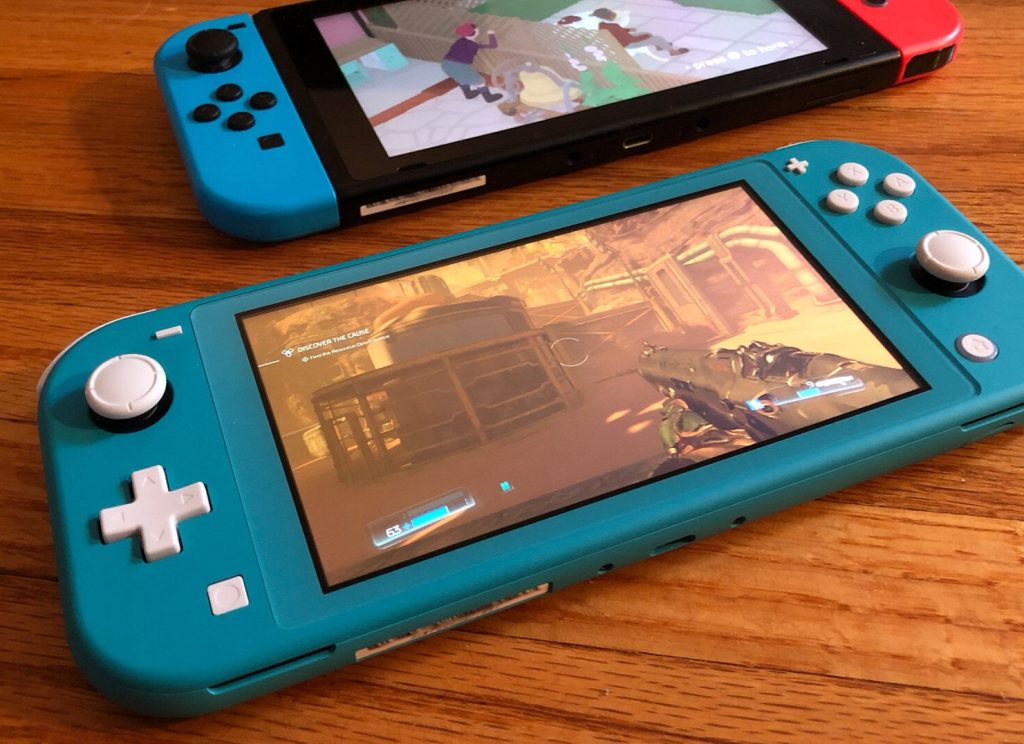
This is a buying guide: it covers each version, what has actually changed, and how to identify your console in just a few minutes.
This hybrid console kicked off the Switch era. It features detachable Joy-Con controllers, a 6.2-inch 720p LCD screen, 32GB of internal storage, and a kickstand that feels like an afterthought. Battery life is officially rated at roughly 2.5 to 6.5 hours. Inside, it runs on the "V1" / Erista board.
The casing, 6.2-inch LCD screen and 32GB of storage are identical to the original. The main improvement is internal: a more efficient Tegra chip. Battery life rises to roughly 4.5 to 9 hours. This upgrade was remarkably quiet, and it looks identical to the first version, although the packaging is usually more red-toned than the earlier white-fronted boxes. Serial numbers for this version typically begin with XKW rather than XAW or XAJ.
Handheld only. The buttons are built in, there is no TV dock, and the Joy-Con controllers cannot be detached. It has a 5.5-inch 720p LCD screen. It is lighter, cheaper, and offers around 3 to 7 hours of battery life.
This is the flagship version of the original hybrid console. The upgrade centres on the screen: a 7-inch OLED panel at the same 720p resolution. Storage is doubled to 64GB, and it also gets louder speakers, a wide adjustable stand, and a dock with a wired Ethernet port. Battery life is broadly the same as the 2019 revision. There is no meaningful performance gain either, though games do look better in handheld mode.
An entirely new generation of console. It has a larger 7.9-inch 1080p LCD screen, with support for high refresh rates, HDR and VRR in handheld mode.
Special editions (Animal Crossing, Mario, OLED variants and the like) differ almost entirely in paintwork and packaging. Check the model number, not the colour scheme.
1. Start in Settings.
Home → System Settings → System → Console Information. You should see Nintendo Switch, Nintendo Switch Lite, Nintendo Switch – OLED Model, or Nintendo Switch 2.
2. Check the model number on the console itself.
You will find HAC-001, HAC-001(-01), HDH-001, HEG-001, or BEE-001.
3. Check the serial number label.
On first-generation hybrid consoles, the serial number is usually on the bottom edge. You can also open System → Serial Number Information in Settings.
Second-hand consoles frequently lack their serial number labels. If a seller is charging a premium for the rare V1 revision, be sure to ask for a clear photo of the back label and the full serial number. Bear in mind that a refurbished board can end up inside an older shell.